Our recommendations, the tradeoffs behind them, and when your current setup may be enough. Each article explains its evidence and what remains untested.
Carrd Pro Standard ($19 a year on 29 October 2026) is the cheapest Carrd plan that publishes to your own domain and includes forms, widgets and analytics, across up to 10 sites. It fits a service page, portfolio or campaign page. Skip it if you need password protection or redirects (those are Pro Plus, $49 a year) or a growing set of articles with repeated fields, where Framer's CMS plans fit better.
Choose Carrd Pro Standard ($19 a year) for a one-page or few-page site on your own domain with a form. Choose Framer Basic ($10 a month on the yearly view, $120 a year if billed yearly) when the site needs many pages or a CMS for posts and case studies. If you need redirects or a password, Carrd Pro Plus ($49 a year) is far cheaper than Framer Pro, as long as you do not also need a CMS.
Both entry plans were listed at $29 per month billed yearly on 13 October 2026. Webflow Ecommerce Standard caps the store at 500 ecommerce items and adds a 2% transaction fee on top of Stripe or PayPal processing. Shopify Basic lists 2.9% + 30 cents online card rates through its own processing and a 2% fee only when you use a third-party provider. Pick Webflow when the site is design-led and the catalog is small; pick Shopify when selling is the main job.
Leave with a useful result
Inspect your website before sharing it
Turn eight manual checks into a prioritized repair list you can export.
Work through Google's three indexing requirements, then check noindex in both the HTML and the response header, and robots.txt, before changing site settings.
Confirm a Carrd form reaches the right inbox: check the plan, recipients, spam filter and sending domain, then run one identifiable test and record what you see.
Work out which Carrd plan covers several sites by counting every occupied slot, including drafts, templates and archives, and by separating sharing from ownership.
Turn advertised monthly prices into the cash you actually pay and when, for Carrd, Framer and Shopify, plus the domain, mailbox and time costs plans leave out.
Compare Framer Basic and Pro on pages, CMS collections, CMS items, bandwidth, redirects and staging, with add-on prices, before paying for the larger plan.
Framer bills extra editors per seat. Separate full editors, content editors and free viewers before inviting a client or freelancer, and compare with Carrd's free sharing.
Pro Plus adds password protection, redirects, payment forms, advanced forms and site downloads. Match each to a real job before upgrading from Pro Standard.
Compare the free tiers of Carrd, Framer, Webflow and systeme.io on domain, branding, pages and forms, and see the first paid row that removes each limit.
Compare analytics on Carrd, Framer and Webflow: which tier allows it, how much history you get, and whether to add Google Analytics or a privacy-focused tool.
Pro Lite costs $9 a year and removes Carrd branding, but it has no custom domain, forms, widgets, embeds or analytics. See which sites fit and which should start on Standard.
Carrd Pro Standard is $19 a year; Squarespace Basic is $19 a month on annual billing. Compare cost, pages, selling, contributors and support across five site types.
Compare Carrd's yearly plans with Wix Premium plans, free-plan ads and branding, storage, and Wix's rule that a site's template cannot be switched later.
Organized by the limit that pushes people off Carrd: multiple pages, a CMS or blog, email funnels, or a store. Each with the entry price and what you give up.
Carrd custom domains need Pro Standard. The records, apex vs www choice, how long initialization and SSL take, and a troubleshooting table drawn from Carrd's docs.
Linktree Pro is $14 a month on annual billing; Carrd Pro Standard is $19 a year. Compare custom domains, branding, analytics and email signup for a link page.
A pre-launch waitlist on Carrd needs Pro Standard for signup forms. Where signups can go, how to confirm them, spam protection, and a launch checklist.
Carrd's Embed element needs Pro Standard and takes HTML, CSS and JavaScript inline or in the head and body. Widgets, IFRAMEs, video and a mobile test checklist.
Carrd fakes multiple pages with named sections and hash links. See how that works, what limits apply, and the site sizes where a real multi-page builder is the better buy.
What Carrd says about its built-in, premium and custom templates, how a template's structure shapes your site, and a checklist for choosing one or starting blank.
Notion publishes a doc as a site in a few clicks; Carrd gives design control and forms for $19 a year. Compare custom-domain cost, SEO settings, forms and editing speed.
Carrd builds the page and hands subscribers to an email tool; systeme.io bundles pages, email and funnels. Compare yearly cost of each stack with worked examples.
Google Sites gives real multi-page sites with Google Forms and Docs built in; Carrd gives designed one-page sites and paid extras. Compare domains, forms, SEO controls and who should stay on Google Sites.
A research review of systeme.io across funnels, email, courses, blog and automation: what each plan includes, the documented limits, and who should skip it.
Compare systeme.io Startup, Webinar and Unlimited on contacts, funnels, courses, automation rules, domains and webinars, with worked examples for a coach and a course seller.
Compare systeme.io and Kajabi on plan prices, payment fees, contact and product limits, and features, with a three-year cost example for a course creator.
Compare systeme.io and Kit (formerly ConvertKit) on price by list size, automations, landing pages, deliverability tools and selling fees, at 1,000 and 10,000 subscribers.
Build and sell a course in systeme.io: modules, drip and partial access, bundles, price plans, payment gateways, plan course limits, and a checklist to the first sale.
Authenticate your own domain for systeme.io email: the three CNAME records and DMARC record its help center asks for, what Gmail and Yahoo require, and how to fix common errors.
Match the gap you hit in systeme.io to a narrower tool: Shopify for a catalog, Carrd for one page, Framer for design, Teachable or Thinkific for course depth, with what you lose by leaving.
What the systeme.io blog documents (posts, categories, RSS, SEO settings, blogs per plan) against Framer and Webflow CMS limits, and who should keep the blog in systeme.io.
Compare systeme.io and Shopify for ebooks, templates and courses: delivery, plan cost, platform and card fees, included email, and a worked net-revenue example on 100 sales.
Set up a paid membership on systeme.io with subscription price plans, course and community access, cancellation options and failed-payment retries, plus plan limits and when a dedicated platform fits better.
Which systeme.io plans include evergreen webinars, how the webinar funnel and its emails are configured, what is not included, and an honesty checklist for presenting a recorded session.
Connect Stripe or PayPal to systeme.io, see which other gateways it lists, what systeme.io charges (0%), what Stripe and PayPal charge, net on a $49 sale and how refunds work.
A research review of Framer from its pricing, features and help pages: design canvas, CMS limits, localization, hosting, editor seats, documented limits such as no HTML export, and who should skip it.
A freelancer and agency comparison of Framer and Webflow seat pricing, client editing roles, site transfer and who pays the hosting bill, with a worked six-page brochure example.
The paid-plan requirement, the exact DNS records Framer documents for apex and www, how long propagation can take, and a troubleshooting table that keeps email records untouched.
The SEO settings Framer documents for titles, descriptions, CMS pages, sitemap, robots.txt, noindex and redirects, with Google Search Console steps and a staging-versus-live check.
What Framer Marketplace templates cost, who sells and refunds them, how licensing varies by creator, the site plan you still need, and a year-one budget with a template evaluation checklist.
How Framer project transfer works, what happens to the existing site plan and credit, who pays after handoff, where the domain lives, and a handoff checklist for registrar, billing and editor access.
A research review of Webflow Site, Workspace and Ecommerce plans, CMS limits, bandwidth rules, interactions and code export from official pages, with who should skip it.
Webflow bills publishing and collaboration separately. See which layer puts a site on your domain, which one adds teammates, and what a solo owner and a three-client freelancer actually pay.
Webflow's CMS plan is now called Premium. Compare its limits with Basic, see what a 40-post resource library costs each way, and use the checklist to decide whether Basic is enough.
Compare first-year cost, maintenance, plugins, editing for non-developers and how easily you can leave, using Webflow's plan prices and published WordPress hosting and theme prices.
Compare Webflow and Squarespace plan prices, bandwidth, contributors, selling and code access, with a table by business type and the signs you are overbuying Webflow.
Per-plan bandwidth allowances, what Webflow counts toward them, the two-month overage rule, a worked estimate from page weight and traffic, and an optimization checklist.
Shopify Starter was built for selling through product links on social media, but Shopify says new stores cannot choose it. See its limits, the current plans, and a worked fee example for a link-based seller.
Compare Shopify and Squarespace commerce plan prices, card rates and platform fees, then see the net monthly cost at $2,000 and $20,000 in sales and where each upgrade pays for itself.
WooCommerce is a free plugin that still needs hosting, extensions and payment fees; Shopify bundles hosting into a plan. Compare first-year cost for a 50-product store and who carries maintenance.
Current Shopify trial terms, what you can and cannot test before choosing a plan, how to cancel or pause, and a day-by-day checklist so the trial ends with a clear decision.
A decision matrix for five common small-business jobs (contact page, bookings, blog, store, funnel), with first-year cost from official pricing and one pick per scenario plus who should skip it.
Compare Carrd, Framer and Webflow on what a portfolio actually needs: project pages, a CMS for case studies, password-protected work, a custom domain and yearly cost, with worked examples for 6 and 30 projects.
Compare page-only builders (Carrd, Framer) with a funnel tool (systeme.io) on forms, A/B testing, email and price, then match a waitlist, webinar signup or paid-ads page to the right tool.
Compare a Carrd page plus a scheduling tool plus an email tool against systeme.io as an all-in-one for coaches, with a sourced monthly cost example and a setup checklist for booking, intake, payments and follow-up.
Compare Squarespace and Wix plan prices, commerce and payment fees, trials, refunds, domains and team limits from their pricing pages, then decide which fits your site.
What Framer AI and Webflow AI document they can generate, which plans and credits include them, and a post-generation checklist for the copy, legal pages, forms and checks a prompt cannot supply.
Which builders sell domains, how first-year and renewal prices differ, what WHOIS privacy and the ICANN 60-day transfer lock mean, and a worked 3-year cost.
The recurring bills after a small site goes live: builder plan, domain, email and signup tools, with sourced prices, two annual budgets and a month-by-month maintenance checklist.
Platform plan, payment processing, domain and add-ons, with sourced Shopify, systeme.io and Stripe prices and two worked first-year budgets for physical and digital products.
What regulator guidance from the UK ICO, the GDPR text and the FTC says about privacy notices, which site features trigger them, and a checklist of what to cover. Not legal advice.
Who runs Carrd, how Pro is paid for and which processors are named, SSL on published sites, what the terms and privacy policy say, and what happens if a renewal fails. Sourced facts and a pre-purchase checklist.
Carrd publishes no coupon, student or promo pricing on its Pro page. The real savings are picking the right tier, using the free trial and plan credit. Yearly cost table checked against Carrd's own pages.
Carrd has no cancel button as such: you turn off auto-renew and let the plan run out. What Carrd's docs and terms say about sites, custom domains and forms afterwards, plus an export checklist.
Carrd Pro Standard costs $19 a year for a custom-domain one-page site; Webflow Basic is $15 a month billed yearly and Premium adds the CMS. Limits side by side and a 2-year cost example.
Carrd costs $9 to $49 a year for one-page sites; WordPress.com paid plans start at $4 a month billed yearly and include plugins and blogging. Prices, limits and a decision table by site type.
Who operates systeme.io, where its terms are governed, how customer payments run through your own Stripe or PayPal account, what the privacy policy says about hosting and data, and the free-plan limits. Sourced facts and a pre-signup checklist.
systeme.io publishes two ways to pay less: annual billing, which it calls two months free, and a Free plan that never expires. No coupon code is published. Monthly versus annual cost per tier.
systeme.io's documented cancellation steps, when the paid plan ends, what the Free plan allows, what restriction switches off if you are over a limit, and an export checklist to run first.
Podia and systeme.io plan prices, transaction fees and email subscriber limits side by side, with the yearly cost for a creator with 2,000 contacts and one course.
Published prices, sub-account limits, email usage charges and white-label options for systeme.io and HighLevel, with a cost table for each stage from solo creator to agency.
Course depth on Thinkific (assignments, certificates, communities, admin seats) against systeme.io's funnels and email, with sourced prices and a yearly cost example.
An ordered diagnosis checklist built from systeme.io's own domain and subdomain help articles: the two CNAME records, root-domain redirects, Cloudflare proxy settings, Hostinger CAA records and conflicting records.
How systeme.io lets other people promote your course or product: plan availability, the four required settings, per-offer commissions, the monthly invoice and payout cycle, and record-keeping checks.
What a one-page wedding or event site needs (RSVP form, schedule, map, password, short lifespan) and what Carrd and Framer charge for a site that lives 6 to 12 months, plus when a free plan is enough.
Only the nonprofit, education and billing discounts that Webflow, Framer, Carrd and systeme.io publish on their own sites, with eligibility, the date checked and a year-one cost example for a small charity.
What Google said when it retired websites made with Business Profiles, what the old business.site link does now, and a practical plan to replace it with a one-page site and update your profile link.
What Wix documents about moving Editor X sites to the Studio Editor, which features change, and how staying on Wix Studio compares with rebuilding on Framer or Webflow, with published plan costs.
What changed when Google sold Google Domains registrations to Squarespace, and how to point or transfer a former Google domain to Carrd, Framer or Webflow without breaking email.
A diagnosis flow for the browser's Not secure warning after connecting a custom domain, based on Carrd, Framer and Webflow's own SSL troubleshooting: waiting times, DNS conflicts, CAA records, Cloudflare proxy and mixed content.
What the monthly fee buys behind the editor, using Carrd's and Framer's own plan pages and hosting docs: CDN, automatic certificates, bandwidth caps and what you still own and pay for separately.
What each DNS record type does, exactly which records Carrd, Framer and systeme.io ask you to add from their official connect-domain docs, what to remove, and what to leave alone so email keeps working.
How Framer CMS collections, field types and detail pages fit together, the ways to get content in, current collection and item limits per plan from Framer's pricing page, and a worked 40-post case-study library.
How systeme.io triggers, actions, tags, rules and workflows fit together, using its help center, three worked recipes and the per-plan caps on rules, workflows and tags.
From customer charge to bank deposit using Shopify's help docs: settlement times by country, payout schedules, weekends, holds and reserves, and a worked $100 order with fees from the current pricing page.
A day-by-day first week on Carrd from its own docs and pricing: choosing a template, working with elements and sections, checking mobile, publishing to carrd.co, and when Pro is needed for a domain or forms.
A seven-day plan for learning Framer in the order its Academy teaches it: canvas, Stacks, breakpoints, Components, CMS basics, forms and publishing to a free framer.app address, plus what to leave until after launch.
An ordered first-week path through Webflow University: box model, classes, layout, responsiveness, CMS and publishing to webflow.io, with real course lengths and the point where a Site plan becomes necessary.
A day-by-day order for a new systeme.io account: sender address, domain authentication, payment gateway, first opt-in funnel, automation, and first newsletter, with the Free plan limits that shape each step and the settings beginners skip.
Which Carrd plan unlocks Site Analytics, how to get a GA4 Measurement ID, the two documented ways to install it on Carrd, and how to confirm data in the Realtime report.
Carrd's native signup forms do not list systeme.io, but four documented routes do work: a systeme.io form embed, a popup script, a Carrd form through Zapier, or a Carrd form posting to your own server. Costs, data flow and a test checklist.
systeme.io's documented DNS steps for a root domain (added as www) or a subdomain, how many domains each plan allows, how to run funnels on a subdomain beside a Carrd or Framer main site, and the checks that get a domain approved.
What systeme.io documents for its Zapier app, outgoing webhooks, native Google Sheets action and public API, plus three worked connections: a Google Sheets lead log, a Calendly booking that tags a contact, and a Stripe sale outside systeme.io that grants course access.
Framer's documented form destinations (email, Google Sheets, signed webhooks), built-in integrations and embeds, what the pricing page does and does not say about limits, and a setup and test checklist.
Which Shopify plan you need for the Buy Button channel, the Carrd tier that allows the embed, how Framer takes the code, checkout behaviour, and a worked monthly cost for selling five products.
Google's verification methods matched to what Carrd, Framer and systeme.io let you edit, which plans that needs, how to submit the sitemap, and what to check in the first week.
Shopify's documented file size, dimension and format limits for product images, video and 3D, the recommended square size, alt text limits, and a catalogue consistency checklist, including an accuracy check for AI-generated images.
A step-by-step move from Carrd to Framer: inventory, rebuild order, re-mapping forms, the exact DNS records to swap, which old URLs can and cannot be redirected, and when to cancel Carrd.
What Squarespace's export includes and leaves out, how to rebuild pages as Carrd sections, the two ways to handle a Squarespace-registered domain, a cutover checklist, and who should not make this move.
Why a Wix site has to be rebuilt rather than exported, how to size the Framer plan from your page and CMS counts, the DNS choice for a Wix-registered domain, a redirect list and a realistic timeline.
Rebuild your Linktree links as Carrd buttons, choose between a free Carrd address and a custom domain, swap profile links one platform at a time with Linktree still live, and set up analytics, including what Carrd's native analytics does not count.
What Kajabi lets you export (contacts, media, a subscriptions report), how systeme.io rebuilds courses and enrolls students, why active subscriptions cannot simply move, and a week-by-week cutover plan.
Inventory your ClickFunnels funnels, checkouts, order bumps, upsells and emails, map each to the systeme.io feature its help centre documents, export contacts and products, then switch domain and payments with a parallel-run checklist.
How to export a clean list from Mailchimp, Kit, Kajabi or ClickFunnels, format the CSV systeme.io expects, tag and subscribe contacts on import, stay within plan contact limits, and warm up sending without hurting deliverability.
What Squarespace lets you export, how Shopify's documented CSV imports expect it, what has to be rebuilt by hand (images, reviews, blog, subscriptions), how to set redirects, and a launch-week checklist.
How to download Etsy's listings CSV, import it with Shopify's Store Migration app or a hand-edited CSV, fix variants and images, decide whether to keep Etsy live, and compare fees on a 50-order month.
Shopify's documented WooCommerce path: product and customer exports, the free Store Migration app, field mapping, what needs an app (orders, reviews, coupons, blog), password handling, redirects and a cutover order.
What the Webflow CSV export really contains, which features you rebuild by hand, how to map redirects, and when it is safe to cancel the Webflow Site plan.
The ICANN deadlines that set how long a registrar transfer takes, a worked calendar, the locks that stop it, and why changing DNS is often the faster move.
Plain definitions of 40 builder terms, from site plan and seat to breakpoint, combo class and CSV import, each tied to the builder where it appears and what it does to your bill.
Plain definitions of the domain terms in your registrar dashboard, grounded in ICANN policy, with a day-by-day expiration timeline and what each stage costs you.
What each funnel term means, how systeme.io builds it, when it helps buyers and when it irritates them, plus a hypothetical funnel worked through to revenue and card fees.
Every fee line between a buyer's card and your bank, where it appears on Shopify, Webflow Ecommerce, systeme.io, Stripe and PayPal, and one $50 sale broken into each fee.
A plain-English Webflow vocabulary for clients and new editors handed a Webflow site: what each term means, why it matters, and the mistake beginners usually make with it.
Documented maximum file sizes, allowed formats and storage notes for Carrd, Framer, Webflow, systeme.io and Shopify, with a worked check for a 200 MB course video and a 30 MB PDF.
Paid-tier page, CMS item and site caps from the Carrd, Framer, Webflow and systeme.io pricing pages, with sizing for a 12-page service site and a 150-post blog.
Documented restore points, version history windows, duplicate and staging options for Carrd, Framer, Webflow and Shopify, plus a handoff checklist for keeping your own copy of content and assets.
Documented roles, seat prices and what each role can publish or bill on five builders, with worked costs for a freelancer plus client and a three-person team.
Prohibited content and restricted products from the Carrd, Framer, Webflow, Shopify and systeme.io policies, plus the Stripe and PayPal lists that often decide whether you can take payment. Not legal advice.
Documented gateway support, platform fees on top and country notes for Carrd, Framer, Webflow Ecommerce, systeme.io and Shopify, with worked monthly totals at $1,000 in sales.
Which builders document a native consent banner or consent API (Framer, Webflow, Shopify) and which need a third-party embed (Carrd), what UK regulator guidance says about consent, and a setup checklist. Not legal advice.
Documented anti-spam features for Carrd, Framer and systeme.io forms, plan requirements, the accessibility cost of each method from W3C guidance, and a setup checklist.
A sourced table of what each platform calculates automatically, what it charges for tax features, and the registration and filing work that stays with the seller.
Carrd plus Kit versus systeme.io all-in-one, priced for one year at 500 and 5,000 subscribers from current pricing pages, with the list size where the cheaper option flips.
Worked first-year budgets at 20 and 200 sales of a $99 course on systeme.io and on Shopify with a course app, including card fees, email and the costs people forget.
A one-page Carrd site, a Framer multi-page site and a Shopify pickup store priced for 12 months, plus a content checklist and when a delivery platform is the better fit.
Annual cost of 5 and 15 client sites under Carrd's per-account slots, Framer's per-site plans and Webflow's site plus Workspace billing, and how to structure who pays.
Line-item first-year budgets for Carrd and Framer setups with domain, inquiry form, booking embed and a free Google Business Profile, plus the content that drives local inquiries.
A page-by-page content inventory, image list, form destinations, contact details and legal pages to prepare before you start a paid builder plan, with a worked sitemap for a five-page site.
Audit URLs, top pages, form destinations and tracking before a redesign, map redirects the way Google recommends, stage the new version on Framer or Carrd, and run a 14-day post-launch check.
Plan modules, video files, pricing model, refund wording and a launch email sequence before opening a course platform, with each step mapped to the systeme.io feature that will hold it.
The scope, content, account ownership, billing, domain access, editing and handoff questions to settle before a quote, and how the answers point to Framer or Carrd billing models.
Say-and-spell tests, choosing a TLD the way Google treats it, a USPTO-style trademark clearance search, social handle checks and renewal-fee rules, with a worked example narrowing 10 candidates to 1.
What Framer, Shopify and Carrd document about resizing and format conversion, dimension guidance for hero, product and social images, and a pre-upload checklist based on web.dev and Lighthouse rules.
Which policy pages Stripe and Shopify expect, what each must state, what Shopify's automated policy templates do and do not cover, and how refunds work for systeme.io digital products.
Documented favicon sizes, formats and plan rules for Carrd, Framer and Shopify, Google's search favicon requirements, a one-file export checklist and how to confirm the icon actually shows.
What a free builder address actually gives you on Carrd, Framer, Webflow and systeme.io, what it does not, and what to check before you swap it for your own domain.
What systeme.io documents about uploading course videos, a worked storage estimate for a 6-hour course, and the privacy and storage trade-offs of embedding from Vimeo or YouTube instead.
How Shopify shipping profiles, zones and rate types fit together, which features depend on your plan, how rates combine at checkout, and a worked setup for a store with one heavy and one light product.
Watch demos / Official walkthroughs
See how the tools work.
Videos load from YouTube only when you press play. These are provider videos, not our own product tests.
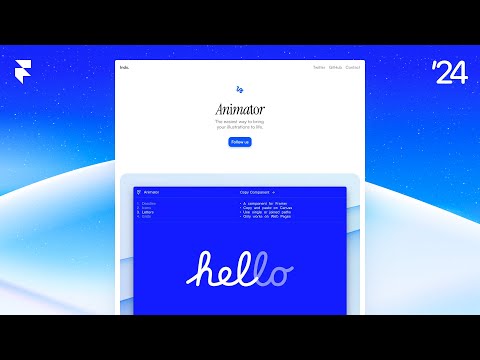
Framer / Official video
Framer Tutorial: Make A Site From Scratch
What to look for: Follow page construction and editing, then compare those steps with your own site requirements.